

There are plenty of tech products out there. Some are great buys offering excellent value, but others aren’t. Most fall somewhere in the middle.
Unless you have the means to buy one of everything, you have to decide if something is the right fit for you. That can be hard; the companies making them will tell you that you need one to make your life complete, people who got a lemon or just didn’t like it will say the product is garbage, and reviewers simply can’t cover everything.
So many tech products! It can help if you take a breath, a step back, and think about what you really need. We’re here to help you do just that!
Often, it’s good to take a step back and see what you’re going to get inside that pretty package. Was it worth what you paid for it? Will you get enough use from it to justify the purchase? Or maybe you should hold off and see what’s coming next.
We can’t make those decisions for you, but we can tell you what we think and maybe where you should start your decision-making process.
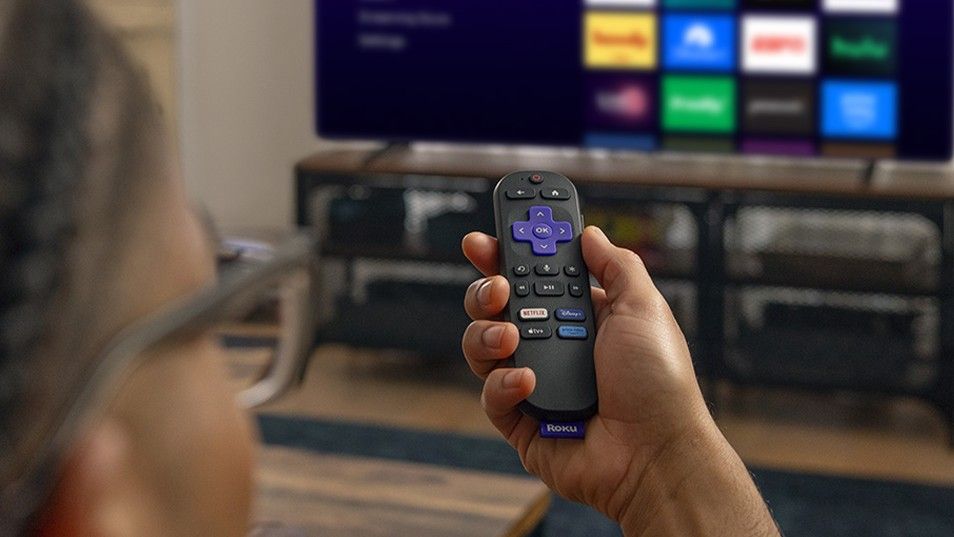
Should you buy a brand-new Roku Streaming Stick 4K from Walmart for $30?
It usually sells for $50, but Walmart has it on sale and even ready by Christmas. If this is something you might want or need, it’s a great deal.
The Pros

There are many ways to stream media from the internet to your eyes, but most of them are extremely expensive, not so with streaming sticks. These tiny gadgets plug into the HDMI port on a television and connect through Wi-Fi to stream all sorts of live TV, sports, and movies. Here’s what’s great about the Roku.
It’s cheap. You’re going to waste $30 this week on something. If you give up a couple of lattes or cook at home one extra evening, you can buy this instead.
It’s easy. Roku’s interface seems cluttered at first, I’m not going to lie. But if you take just a minute and zip through it, everything is categorized nicely, and there is no Google or Amazon changing everything on your home screen to infuriate you.
It works with everything. It simply sends an audio and video signal through HDMI. That means it works on every TV made in the last 20 years, and even a computer monitor. As long as you can get an unfettered Wi-Fi connection (more on that further down the page), it just works.
The cons

Nothing is perfect, and there are some things to think about before you fork over your money. Everything works that way.
It’s not very powerful. I have an Nvidia Shield Pro and an old Amazon Fire TV. One is really fast when scrolling through menus or getting a stream to start, while the other is ass. This Roku is right in the middle. It will show you what you want to see, but it might take an extra few seconds to get there.
It’s Wi-Fi only. We all have that spot in our home where the Wi-Fi isn’t as fast as it is everywhere else. I happen to have a television in one of those spots, and because my Shield Pro can use Ethernet, it works fast. If I were forced to use Wi-Fi, I’d see some buffering, or the picture would suffer.
It needs “open” Wi-Fi. No, not the public and unsafe kind of Wi-Fi, but a connection without a captive portal. Ever use Wi-Fi on a plane or in a hotel and have to start on a specific page or enter some sort of code? This isn;t going to work there. That’s kinda bad because this gadget is the perfect price and size to carry with you on a business trip or vacation. There are workarounds, or you could tether from your phone’s connection, though.
My verdict
So, should you buy the Roku Streaming Stick 4K?
If you want a cheap and easy way to stream videos and still get great video quality, the Roku is 4K (of course, it’s in the name) and HDR10. It will look as good as the screen it’s attached to.
If you want Google or Amazon in the picture, so you can use apps or decent voice commands, pass on this one.
Finally, if you’re looking for something to bring along on a business trip, check out the different ways to use a Roku with Hotel Wi-Fi and decide if you can live with them. if so, $30 gets you some entertainment instead of paying for PPV hotel movies.

