

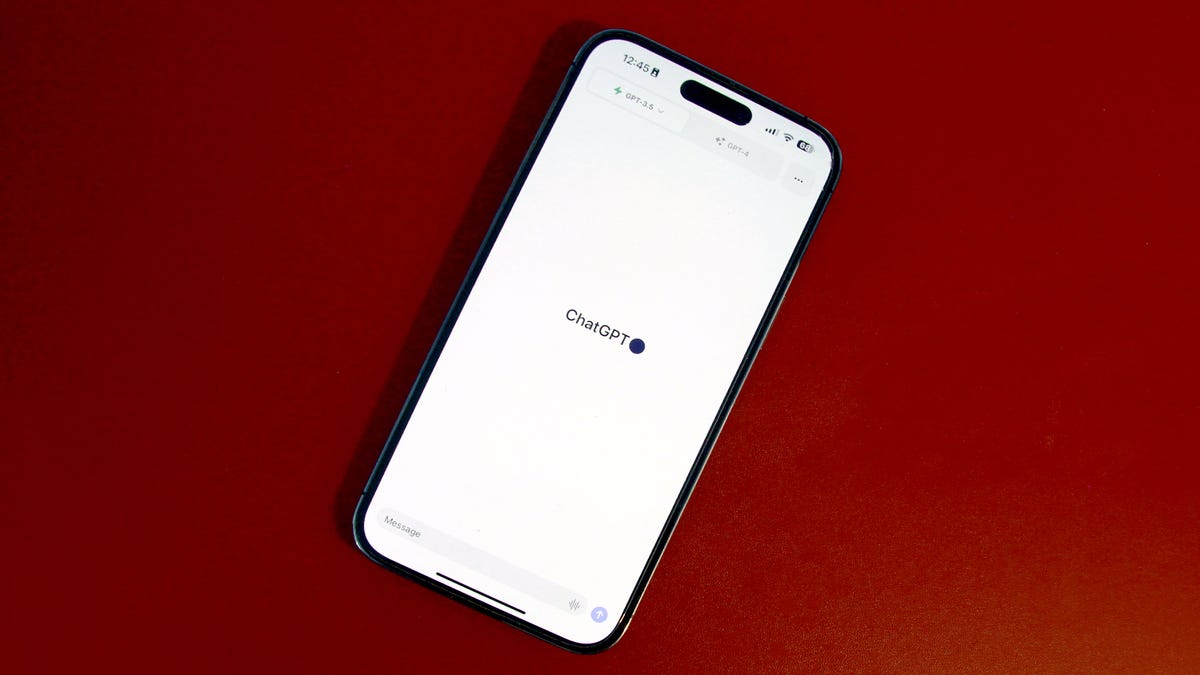
OpenAI’s ChatGPT launched an artificial intelligence (AI) revolution when it became widely available last fall. Since then, the AI chatbot has dominated headlines and preoccupied the minds of those running Twitter, Google, Amazon, Microsoft, Meta, and governments worldwide.
Though ChatGPT only launched in November, it gained 100 million users by January, quickly becoming the fastest-growing ‘app’ of all time, surpassing TikTok.
Also: Six skills you need to become an AI prompt engineer
The ChatGPT model is certainly not overrated; users are coming up with creative ideas for prompts, such as asking questions in search of funny answers, creating content, improving their writing or Excel skills, finding and correcting a bug in code, or summarizing a book. Some wonder if the AI chatbot could replace programmers, writers, and even doctors, and how it could revolutionize different industries.
Also: These two AI models claim to be better than ChatGPT. Here’s what we know
Across all these areas, one thing is abundantly clear: what makes this AI tool remarkable isn’t how innovative the idea is but how great it is at generating text, and how accessible and easy it is to use. ChatGPT can hold conversational text interactions with users, which feel as natural as conversing with a very well-informed person.
How to use ChatGPT
Start by going to chat.openai.com and then use an email address or a Google or Microsoft account to sign up. You need to create an account on the OpenAI website to log in and access ChatGPT, but it is free.
If you’ve never created an account, click ‘Sign up’ and follow the prompts to enter your information. OpenAI does require a valid phone number for verification to create an account on its website.
If you haven’t created an account, click on ‘Sign up’. Otherwise, log in with your OpenAI credentials. Screenshot by Maria Diaz/ZDNET
Next, you’ll see a few disclaimers before you can chat with the AI chatbot. Please read and accept them one by one to enter the chat.
The terms will come up in three stages, click Next on the first two and Done on the last one. Screenshot by Maria Diaz/ZDNET
Once you’ve logged in to your OpenAI account on the ChatGPT side of the website, it’s time to get to know the AI tool’s window. Here’s a breakdown of what you will see, with the image below as an example:
- New chat & hide sidebar buttons: On the left-hand side of your screen, you’ll see a button for ‘New chat’ that you can click on to start a fresh conversation at any time. This feature is useful because the ChatGPT model remembers what was previously discussed in a conversation and will respond with context, so starting a new chat will create a new discussion without prejudice or context.
- Chat history: The left sidebar also keeps all your previous conversations accessible in case you need to go back to one, though there is the option for turning off chat history. Here you can edit the title of each chat, share your chat history with others, or delete it.
- Account: Clicking on your e-mail address or name on the bottom left of your screen will give you access to your account information, including settings, the option to log out, and help and FAQ from OpenAI. If you don’t have ChatGPT Plus, you’ll see an Upgrade to Plus button here.
- Your prompts: The questions or prompts you give the AI chatbot appear here.
- ChatGPT’s responses: Whenever ChatGPT responds to your queries, the logo will appear on the left. The Copy, Thumbs Up, and Thumbs Down buttons appear to the right of each response. You can copy the text to your clipboard to paste it elsewhere and provide feedback on whether the response was accurate. This process helps fine-tune the AI tool.
- Regenerate response: If you have issues getting a response in the chat or don’t get a satisfactory answer, you can click on ‘Regenerate response’ to prompt ChatGPT to try again with a new reply for the latest prompt.
- Text area: This section is where you enter your prompts and questions; just hit enter to send them.
- ChatGPT version: OpenAI includes a bit of fine print below the text input area, where you can read the disclaimer that this is a “Free Research Preview. ChatGPT may produce inaccurate information about people, places, or facts”. This section also shows the version of the ChatGPT model you’re currently using.
The numbered areas are explained above. Screenshot by Maria Diaz/ZDNET
Now you know how to log in to and access ChatGPT, it’s time to get started. You can ask the language model any burning questions you might have and see what answers you get — the possibilities are, quite literally, endless. ChatGPT is a tool that can be applied in endless projects, from software development to writing and onto translations.
Also: How ChatGPT can rewrite and improve your existing code
Type in any ChatGPT prompts in the text bar at the bottom of the page and press enter to submit your questions. The AI chatbot will then generate text to provide helpful answers to your queries.
Start writing in the text box at the bottom of the page. Then, press enter to submit your prompt. Screenshot by Maria Diaz/ZDNET
What is the best way to use ChatGPT?
ChatGPT can generate responses to prompts (a feature that could eventually challenge search engines) that are enough to become an essential tool for content generation, from writing essays to summarizing a book for you. Still, it can also write and fix code, make calculations, help you compile your resume, translate information, and more.
The better the prompt, the better the response will be. Here are examples of prompts you could start with:
- How does a computer store and process information?
- Analyze this code and tell me how to fix it: [Paste the code]
- Write a poem about migraine in the style of Walt Whitman.
- Write a country song about a dog named Speckles who loves to run.
- Write a plugin for —– that does —–
- What is the difference between a virus and a bacterium?
- Write a sick note for my child who is missing school.
FAQs
What is ChatGPT?
ChatGPT is a large language model that uses artificial intelligence to hold text conversations with users.
Also: How to use ChatGPT to create an app
These conversations can feel as natural as if you were asking someone questions.
The human-like responses are helpful when translating from one language to another, looking for instructions on how to do something, and generating written content.
How does ChatGPT work?
ChatGPT uses reinforcement learning with human feedback (RLHF) to intelligently process its environment, using human demonstrations to adapt to different situations with learned, desired behaviors.
Also: OpenAI says it found a way to make AI models more logical and avoid hallucinations.
ChatGPT was trained on a substantial amount of data before its research preview and continues learning through the human knowledge users provide, making it able to give educated responses to a wide variety of topics.
How do I use ChatGPT for the first time?
You must register for an OpenAI account to use ChatGPT for the first time. Sign up for a free OpenAI account using your email address and a valid phone number and get started with ChatGPT following the steps above.
How can I access ChatGPT?
You can access ChatGPT by going to chat.openai.com and logging in. If you’re on OpenAI’s website, you can log in to your account, then scroll down until you see ChatGTP on the bottom left corner of the page, and click on it to start chatting.
How can I use ChatGPT without a login?
There’s no way to use ChatGPT through OpenAI without logging in, and when you do create an account through the website, you must also provide an active phone number for confirmation.
If you’d rather access an AI chatbot without logging in to a website, you can use Bing Chat, which is not only free, but lets you use it without logging in, and it’s built with GPT-4, a larger and newer model than the one used in ChatGPT, also from OpenAI. You can log in to Bing with a Microsoft account for extended conversations.
Also: ChatGPT vs. Bing Chat vs. Google Bard: Which is the best AI chatbot?
HuggingChat is another AI chatbot that doesn’t require users to log in to access it, but it’s not as effective as ChatGPT and Bing Chat.
Does ChatGPT have an app?
OpenAI recently launched an iOS app for ChatGPT, which you can find in the App Store if you have an iPhone.
Also: ChatGPT dropped a free app for iPhones. Does it live up to the hype?
Although there’s no Android app yet, Android users can use the AI-based tool from their mobile browser on their smartphone.
Can I use ChatGPT on my phone?
The steps to use OpenAI’s ChatGPT from your Android phone are the same as above: go to chat.openai.com, log in, accept the terms, and start typing. The AI assistant will work just as it does when you access it from your computer.
Is ChatGPT free?
Yes, you can use ChatGPT for free — for now. Since the natural language processing model is still in its research and “learning” preview phase, people can use it for free; you only need to register for a free OpenAI account, though there is an option to upgrade to a paid membership.
The key differences between a free account and ChatGPT Plus. Screenshot: Maria Diaz/ZDNET
OpenAI launched ChatGPT Plus a few months ago for customers who want unlimited access without black-out windows during peak times, faster responses, and priority access to new features. The cost is $20/month.
Also: The best AI art generators: DALL-E 2, and alternatives
The paid subscription also gives users access to GPT-4, a larger and more advanced LLM than GPT-3.5, which is used in the free version of ChatGPT.
What can I use ChatGPT for?
Your imagination is the limit. Have fun with different ChatGPT prompts. ZDNET’s David Gewirtz asked the AI chatbot to write a WordPress plugin for him and used it to help him fix code faster, for example. He also asked ChatGPT to write a Star Trek script and started a business using it and other AI tools.
Also: How to use ChatGPT to write code
Others have used it to write malware. One professor has promoted the use of ChatGPT in his classroom, and countless other teachers are using it even more than their students. Here are a few other ideas you could try:
- Write a song about [insert topic here] — Try adding multiple details.
- Write a poem about [insert topic here] — Again, add as many details as possible.
- Give it a list of ingredients from your pantry and ask it to write a recipe with them.
- Ask it philosophical questions.
- Ask it to summarize ideas or concepts.
- Request a packing list for a three-day trip to the beach.
The more details you write in your prompts, the more precise the answers will be.
Also: How does ChatGPT actually work?
ChatGPT could one day replace and, in the case of Bing Chat, enhance search engines. Although the text bar in ChatGPT isn’t a search bar, Microsoft introduced an AI-powered Bing search engine connected to the internet months ago, providing answers to questions that ChatGPT can’t handle.
How can I share ChatGPT conversations?
ChatGPT was recently updated to support sharing conversations with others by creating a link for them. If you want to send a conversation to someone else, follow these steps:
- Find the discussion on the sidebar to the left of the window
- Hover over the chat title on the sidebar and click on the Share icon
- Click on Copy Link
- Paste your link into a message or email for the recipient
- Send
Is ChatGPT the best AI?
If you’re trying to figure out which is the best AI chatbot, you might wonder how OpenAI’s ChatGPT compares to others, like Google Bard and Microsoft’s AI-powered Bing. ChatGPT’s rise is primarily attributed to the expert combination of wide accessibility, knowledge, and conversation fluidity.
Also: ChatGPT vs. Bing Chat: Which AI chatbot should you use?
Compared to ChatGPT, Bing Chat is more based on its search-engine nature, as it combines GPT-4 and gathers information from the internet, even quoting the sources for the web pages where it got its response.
Can ChatGPT refuse to answer my prompts?
AI systems like ChatGPT aren’t almighty; they can and do reject inappropriate requests. Aside from having limited knowledge, the AI assistant can identify inappropriate submissions to prevent the generation of unsafe content.
Also: 6 things ChatGPT can’t do (and another 20 it refuses to do)
These submissions include questions that violate someone’s rights, are offensive, are discriminatory, or involve illegal activities. The ChatGPT model can also challenge incorrect premises, answer follow-up questions, and even admit mistakes when you point them out.
Does ChatGPT give everyone the same answer?
ChatGPT can generate essays, write code, and more from user queries. Screenshot by Maria Diaz/ZDNET
Most of the time, when different people ask ChatGPT the same question, they will get the same answer. There might be a few variations in words, but the response will be almost identical.
Also: How to turn any photo into a professional headshot with AI
Someone who wanted to determine whether ChatGPT wrote an article or essay could ask ChatGPT the same question the article or essay was based on and see if the response is similar. ChatGPT also tends to generate more polite prose than human writers.
Does ChatGPT give wrong answers?
ChatGPT, like all language models, has limitations and can give nonsensical answers and incorrect information, so it’s important to double-check the data it gives you. It’s constantly learning from the text data provided by users and the results it finds online, which can make it prone to misinformation.
OpenAI recommends that users provide feedback on what ChatGPT tells them by using the thumbs-up and thumbs-down buttons to improve the model. Even better, you could become part of the company’s Bug Bounty program to earn up to $20,000 by reporting security bugs and safety issues.
Also: My 5 favorite AI tools for work
The AI chatbot is not connected to the internet and cannot determine the current date, so asking ChatGPT how many days until Easter won’t get you an exact number of days. This restriction is one of the ways ChatGPT differs from search engines.
Will my conversations with ChatGPT be used for training?
When familiarizing yourself with how to use ChatGPT, you might wonder if your specific conversations will be used for training and, if so, who can view your chats. Your conversations can be viewed by OpenAI and used as training data to refine its systems unless you have a Plus membership, so I wouldn’t enter any personal or private information into the chat window.
Also: This new AI tool will summarize YouTube videos for you in seconds
The prompts you enter when you use ChatGPT are also permanently saved to your account unless you delete them. If you turn off your chat history, OpenAI will retain all conversations for 30 days before permanently deleting them to monitor for abuse.
How do I turn off chat history?
Turning off chat history on ChatGPT is pretty simple. Just follow these steps:
- Log in to your OpenAI account
- Go to the chat window at chat.openai.com
- Click on your account on the bottom left of the screen
- Next to Data Controls, click on Show
- Toggle off Chat History & Training
New conversations won’t be used for training and they won’t appear on the sidebar after turning off chat history.
How do I delete my ChatGPT account?
If you’d like to delete the account you use for ChatGPT, you’ll have to delete your OpenAI account. Follow these steps:
- Log in to your OpenAI account
- Go to Help
- On the bottom of the popup, select Messages
- Click on Send Us a message
- Choose Account Deletion from the available options
- Follow the prompts to delete your account and data
Why can’t I log in to ChatGPT?
If you’re having issues logging in to ChatGPT after using it, there are a few things you can try. Access to ChatGPT can be affected by various issues — mine gets denied while using a VPN, for example.
Also: 5 ways to use chatbots to make your life easier
OpenAI recommends refreshing your browser’s cache and cookies, and using the correct authentication method and login information. If you’ve done these things and still can’t log in, you can find more troubleshooting help at OpenAI’s website.

