

Google Drive is a resourceful app that’s integrated into many of Google’s own products as well as some third-party platforms. One of the factors that makes this cloud storage service so versatile is that you can access it on multiple types of devices and platforms, be it Android, iOS, or Windows.
If you’d like to use your Drive account in tandem with your computer, you can simply get the desktop version of the app for Windows or macOS. Here’s a guide that shows you how to set up and use the Google Drive for Desktop app. While the steps below demonstrate the process on Windows 11, the steps are more or less the same for both operating systems.
How to set up and use the Google Drive for Desktop app
You’ll have to download and install the Google Drive for Desktop app before working out how to use it. Here’s how to do that on your computer.
1. Go to the Google Support website and download the Google Drive for Desktop app.
2. Launch the Google Drive for Desktop installer file.
3. Check the options you want and click Install.
4. Click Launch once the installation is done.

5. Select Sign in with browser.

6. Choose the Google account you want to use.

7. Click Sign in once again.

8. Select the Open Preferences option from the pop-up.

9. Click Take tour to learn how to use Google Drive for Desktop.

10. Select the Google Drive option in the left-hand tab.

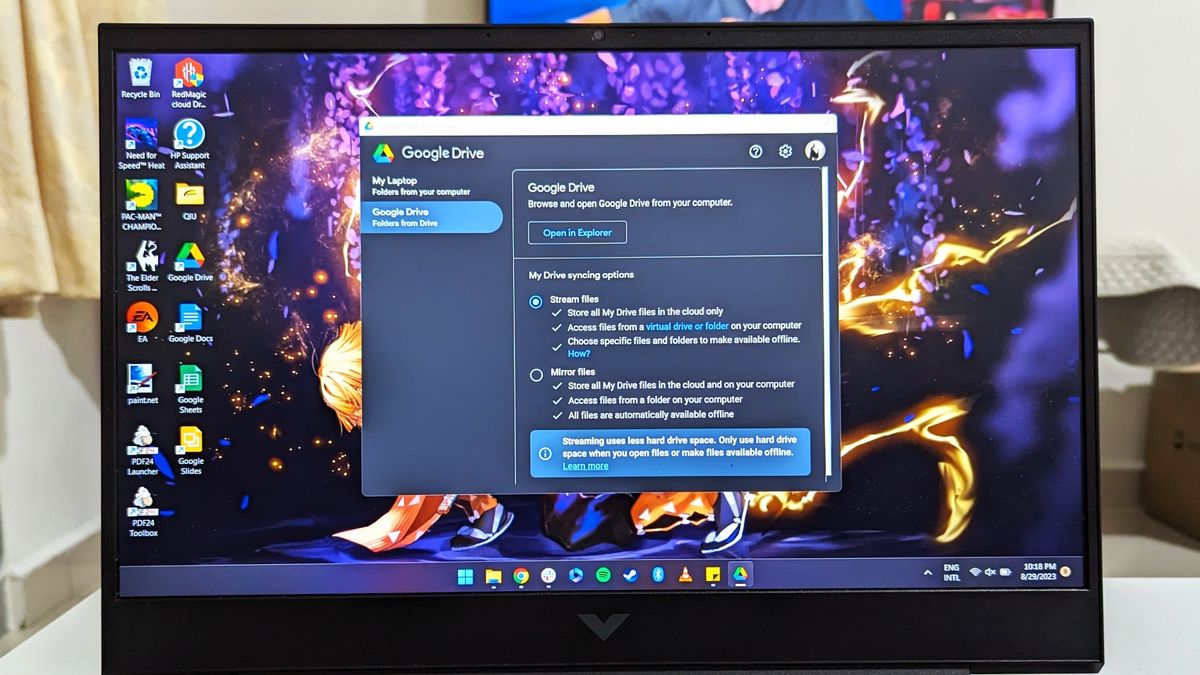
11. Choose either the Stream files or Mirror files setting.

After you’re done taking a tour of the desktop app from Google, you can either stream your Google Drive files or choose to mirror them. Mirroring means all the files will be stored locally, so they’ll be available offline. However, this takes up more space. Any changes made to your Google Drive files on the desktop app will be reflected everywhere else immediately. On the other hand, streaming files takes up less space, but you’ll have to choose specific files for offline viewing. Changes made are synced as well.

To access and use your files through the Google Drive for Desktop app, you can launch the app from the desktop shortcut, start menu, system tray, or Windows Explorer shortcut. Uploading new files is as easy as copying and pasting or dragging files and folders into the Google Drive for Desktop app. Remember that any changes made to the Google Drive folder or files on your computer will be synced across all your devices.

Keep it all in the cloud for safety
Cloud storage is the best method of securing your most crucial data. It’s one of the best contingency solutions and also makes it amazingly simple to streamline your workflow. Naturally, with a tool that’s this important and convenient, you need to make sure you’ve got enough space to hold all your files and folders.
Google gives you 15GB as standard with any Google account. The problem with that is that it includes all your Google data, including Drive, Gmail and Google Photos. If you back up all your Photos content to the cloud, that space will run out pretty darn fast.
Fortunately, you can subscribe to the Google One plan to expand that storage allotment. It doesn’t cost all that much, with the cheapest plan starting at $1.99 per month for 100GB. Google also throws in bonus features to subscribers, sweetening the pot with features like additional tools in Google Photos and a VPN.

